


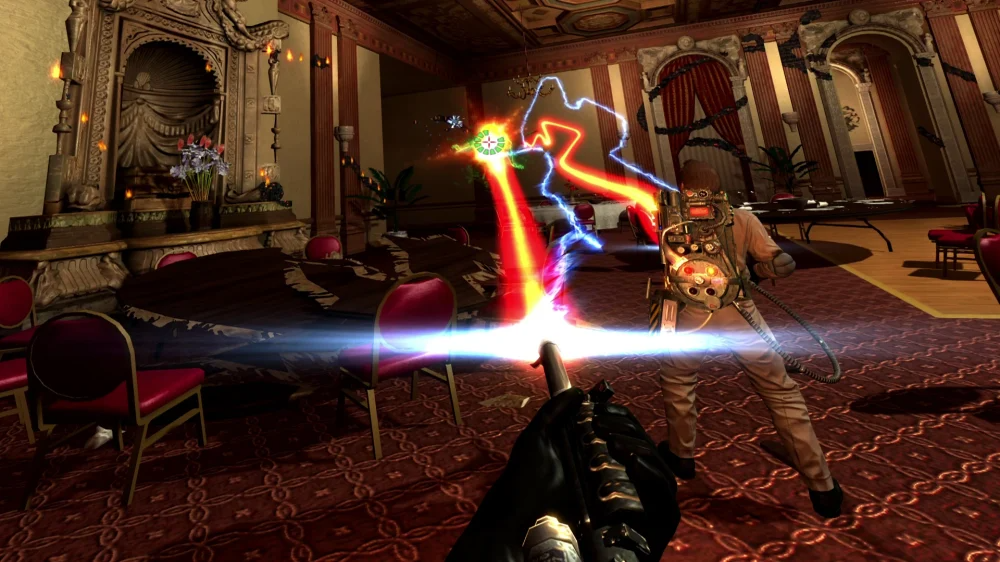
A new fan-made VR mod lets you step into the Rookie’s boots in Ghostbusters: The Video Game Remastered and now, developer SingleCopy, has released GB-VR as a free download, bringing first-person ghostbusting and full motion controls to the PC game, writes Ghostbusters News‘ Jason.
Among the biggest changes in VR is how you handle the Rookie’s gear. You can reach over your shoulder to draw the Neutrona Wand, swing it to slam ghosts, and grab a Ghost Trap from your hip to throw it into position.
You can also grip the wand with both hands, reach for your PKE Meter, and pull down the Paragoggles by hand.
Also, to check your health, just glance at the Rookie’s new wristwatch.
RUMOUR: Ghostbusters: Nightmare on 34th Street movie coming, Sonic’s Miller writing
Now, if you’d like to try the mod, you’ll need the Steam or Epic Games Store version of Ghostbusters: The Video Game Remastered and a PC VR setup running SteamVR. For most players, installation is as simple as downloading the standalone zip file and extracting it directly into the game’s installation folder.
Steam owners can find the installation folder by right-clicking the game in their library and choosing Manage → Browse local files. After extracting the mod, launch SteamVR and start the game as usual. Epic Games Store owners will also need to add the game to Steam through Games → Add a Non-Steam Game to My Library, then launch it from that Steam shortcut with SteamVR running.
For those more familiar with modding, you can also install GB-VR using the community favorite tool gbhook. With gbhook 0.4.0 or later installed, simply download the gbhook-compatible version of GB-VR and unzip it into your Ghostbusters game folder. Both versions, with further setup instructions, are available on Nexus Mods.
Marc
Marc is a self-confessed nerd. Ever since seeing Star Wars for the first time around 1979 he’s been an unapologetic fan of the Wars and still believes, with Clone Wars and now Underworld, we are yet to see the best Star Wars. He’s a dad of two who now doesn’t have the time (or money) to collect the amount of toys, comics, movies and books he once did, much to the relief of his long-suffering wife. In the real world he’s a graphic designer. He started Following the Nerd because he was tired of searching a million sites every day for all the best news that he loves and decided to create one place where you can go to get the whole lot. Secretly he longs to be sitting in the cockpit of his YT-1300 Corellian Transport ship with his co-pilot Chewie, roaming the universe, waiting for his next big adventure, but feels just at home watching cartoons with his kids….

Nerd Comments